How to register a Domain Name and add it to the Tool
| Last Edited Time | |
|---|---|
| Type | |
| Status | |
| Created By | |
| Last Edited By | |
| Stakeholders | |
| Property |
To register a domain name there are two possibilities
When possible on the tool:
Go to "Domains", click on "Register New Domain" and then "Check Registrar".
For example, we will try to register the domain name "parissportifscodepromo.fr"
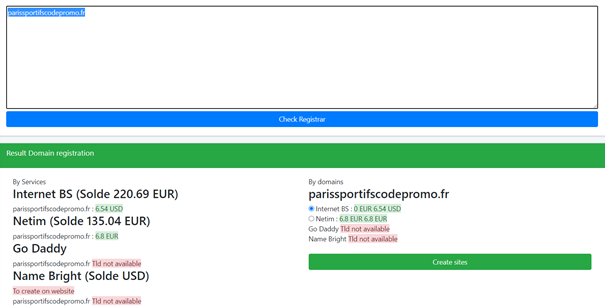
We see that we can create the domain name with several registrars.
Choose a registrar and click on "Creates Sites"
When this is not possible on the tool (site with tld not supported)
For example, we will try to register the domain name julesostyn.bg
First, go to https://www.netim.com/, log in, type the domain name and proceed with the purchase. You should wait for the DNS to be propagated (24-72h).
To verify if the DNS have been correctly propagated, you need to look on dig google (https://toolbox.googleapps.com/apps/dig/).
Go to the NS zone and see if you have the correct Netim DNS
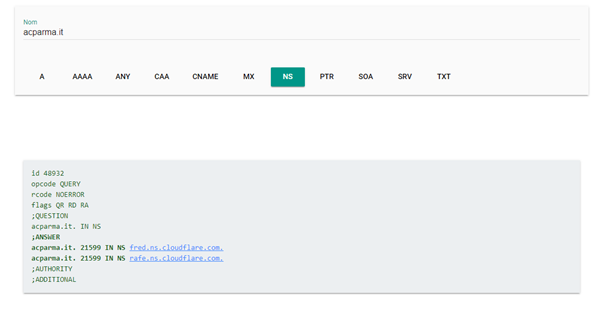
Example: the acparma.it site with its Cloudflare DNS.
When the DNS are good (i.e propagated), you need to go to the registrar's account (here Netim DY514) to change them and put those of Cloudflare.
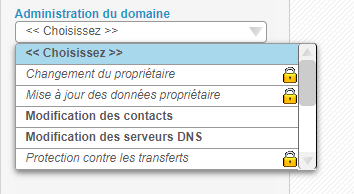
To do this, you need to go to "My account" then, "Domains" and "Domain management". A list of all our sites registered with Netim will be displayed. Then , click on the site you have just registered and then click on "Domain administration" and "Modification of DNS servers"
And in the window that appears, enter the DNS of Cloudlfare.
fred.ns.cloudflare.com
rafe.ns.cloudflare.com
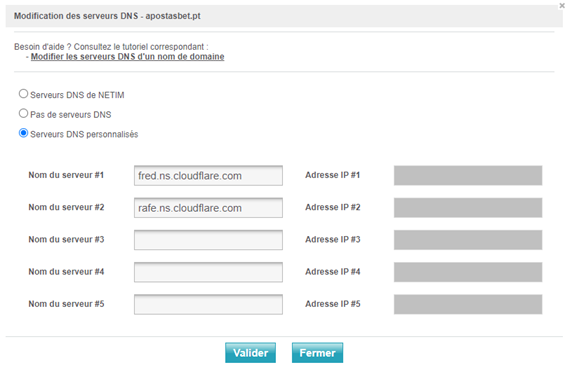
Once the DNS have been changed, you have to create the site at CloudFlare.
In Cloudflare, click on “Add a Site” and click on “Check nameservers”.
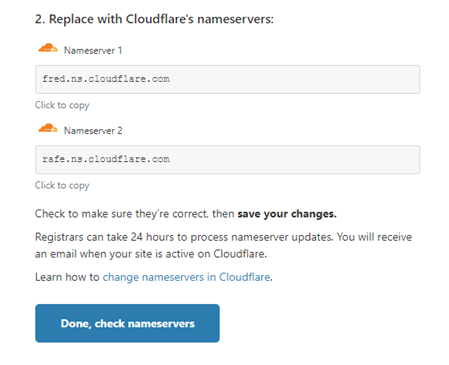
Then you have to wait for the Clouflare DNS to be propagated.
Add the domain in the tool
To add the domain in the tool, go to "Websites" then "Create". In « Domain » you will find our sites and the fields will be filled in automatically if you have created the domain name using the Tool (option 1)
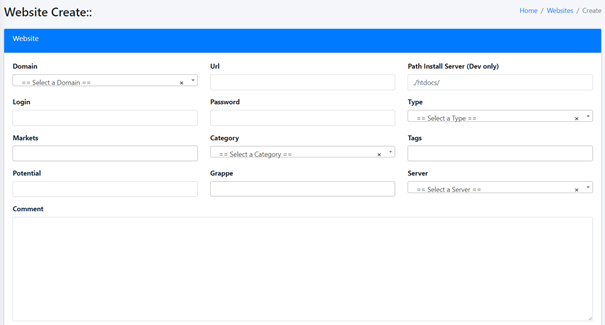
If the domain name was created manually (option 2) you have to go to “Domain” and create it by yourself
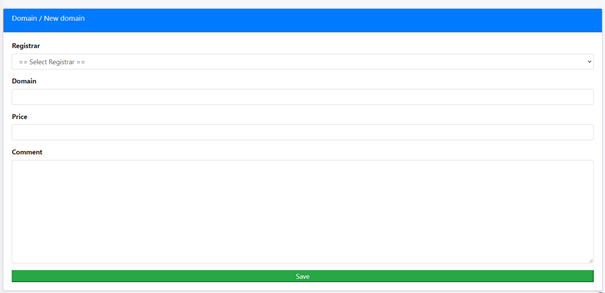
Finally, go to "Websites" then "Create" and you will find the domain name with all the informations.